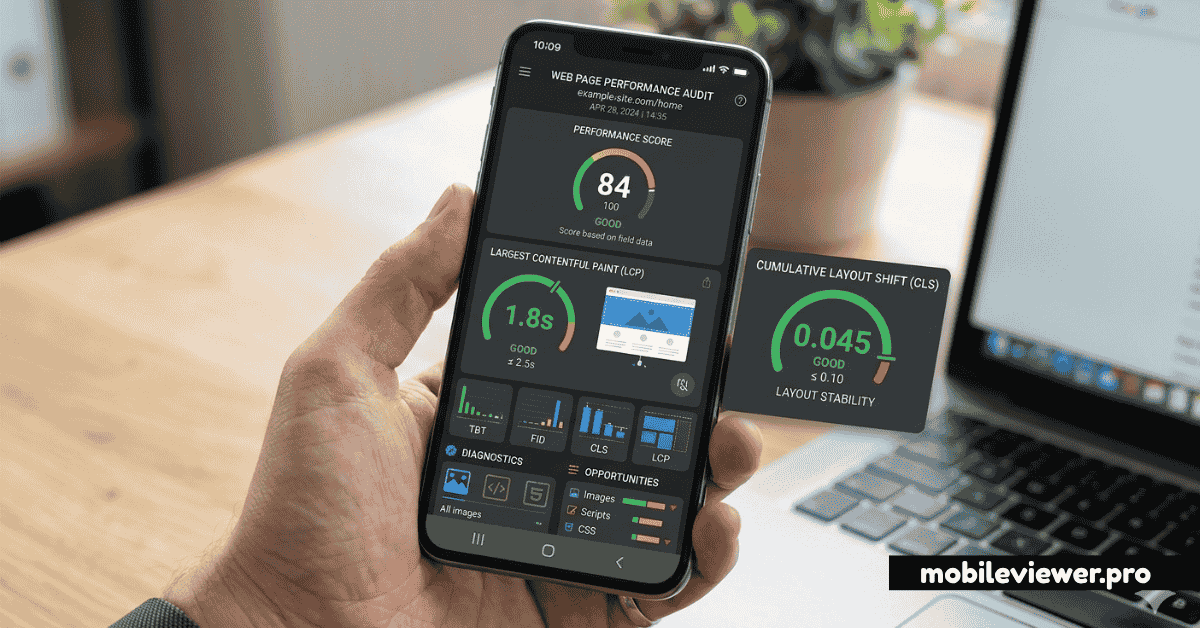
What Are Core Web Vitals — And Why Do They Matter for Mobile?
Core Web Vitals (CWV) are a set of real-world performance metrics defined by Google that measure specific aspects of user experience: loading speed, visual stability, and interactivity. They became an official Google ranking signal in 2021 and are measured from real Chrome user data in the field — not just lab simulations.
On mobile, Core Web Vitals scores are almost always worse than on desktop. Mobile CPUs are slower, connections are less reliable, and screens are touch-based, creating different interaction latency characteristics. Google's CrUX (Chrome User Experience) dataset measures mobile and desktop scores separately, and your mobile scores are what matter most for search ranking.
The three metrics: LCP (Largest Contentful Paint) measures loading performance. CLS (Cumulative Layout Shift) measures visual stability. INP (Interaction to Next Paint) replaced FID in March 2024 and measures responsiveness to user inputs.
LCP — Largest Contentful Paint
LCP measures how long it takes for the largest visible element in the viewport to fully render. On most pages, this is a hero image, a large heading, or a background video. Good LCP: under 2.5 seconds.
Why Mobile LCP Is Harder
Mobile connections are typically slower than wired desktop connections. A hero image that loads in 400ms on a fast home broadband connection may take 2.8 seconds on a 4G mobile connection — immediately pushing you into the "Needs Improvement" zone.
How to Fix Mobile LCP
- Preload the LCP image: Add
<link rel="preload" as="image" href="hero.webp">in the<head>. This tells the browser to fetch it immediately, before it parses the rest of the document. - Use next-gen image formats: WebP is 25–35% smaller than JPEG at equivalent quality. AVIF is even smaller. Both are widely supported in mobile browsers.
- Serve responsive images with srcset: Don't serve a 2000px desktop hero to a 393px mobile viewport. Use
srcsetto serve appropriately-sized images per device. - Eliminate render-blocking resources: CSS and JS in the
<head>block rendering. Defer non-critical JS, inline critical CSS, and load web fonts asynchronously. - Use a CDN: Serve assets from edge nodes geographically close to your users. A CDN can halve image delivery time for users far from your origin server.
<!-- Preload hero image for faster LCP -->
<link rel="preload" as="image"
      href="/hero-mobile.webp"
      imagesrcset="/hero-480.webp 480w, /hero-780.webp 780w"
      imagesizes="100vw">
CLS — Cumulative Layout Shift
CLS measures how much the visible content unexpectedly shifts around during page load. If images load without dimensions and push text down, or ads inject content that moves things around, that's layout shift. Good CLS: under 0.1.
Why CLS Is a Bigger Problem on Mobile
On mobile, content is stacked vertically in a single column. A single element shifting 100px pushes everything below it down by 100px — far more disruptive than on a wide desktop layout where adjacent columns absorb the shift. Banner ads, cookie notices, font-swaps, and async-loaded images are the most common CLS culprits on mobile.
How to Fix Mobile CLS
- Always specify image dimensions: Add explicit
widthandheightattributes to every<img>tag. The browser uses these to reserve space before the image loads, preventing a layout shift. - Reserve space for ads: Use
min-heighton ad containers so the layout doesn't jump when the ad loads. - Avoid injecting content above existing content: Dynamic banners, cookie consent bars, or chat widgets that push content down cause CLS. Position them as overlays or in pre-reserved space.
- Use font-display: optional or swap correctly:
font-display: optionalprevents the FOUT (Flash of Unstyled Text) that causes CLS. If you useswap, ensure the fallback font has similar metrics.
/* Reserve space for ads to prevent CLS */
.ad-container {
  min-height: 90px; /* minimum expected ad height */
  width: 100%;
}

/* Lock image dimensions */
img {
  aspect-ratio: attr(width) / attr(height);
  height: auto; /* let aspect-ratio control this */
}
INP — Interaction to Next Paint
INP replaced FID (First Input Delay) in March 2024. While FID measured only the delay to the first interaction, INP measures the latency of all interactions throughout the page's lifetime — taps, clicks, keyboard inputs. It reports the slowest interaction at the 98th percentile. Good INP: under 200ms.
Why INP Is Critical on Mobile
Mobile CPUs process JavaScript significantly slower than desktop CPUs. Heavy JavaScript executing on the main thread blocks the browser from responding to user taps. On a mid-range Android phone, a 150ms JavaScript task that's invisible on desktop causes a 350ms tap delay — solidly in the "Needs Improvement" zone.
How to Fix Mobile INP
- Break up long JavaScript tasks: Any task taking over 50ms on the main thread blocks input processing. Use
setTimeout,requestIdleCallback, or the Scheduler API to break work into smaller chunks. - Reduce JavaScript bundle size: Less JS = faster parse and execution = faster interaction response. Use code splitting, tree-shaking, and lazy-loading to only load what's needed on each page.
- Avoid heavy event handlers: Don't do synchronous DOM queries or complex calculations inside click/touch handlers. Pre-compute where possible.
- Use CSS for animations: CSS animations run on the compositor thread and don't block main thread input handling. JavaScript-driven animations compete with event handling.
- Audit third-party scripts: Analytics, chat widgets, A/B testing tools, and ad scripts are major INP culprits. Load them async, defer them, or move them to a web worker.
Measuring CWV on Mobile
Use these tools to get accurate mobile CWV measurements:
- PageSpeed Insights: Shows both lab data (simulated mobile) and field data (real Chrome user data from CrUX). Field data is what Google uses for ranking.
- Chrome DevTools Performance panel: CPU throttling (6x slowdown) and network throttling (Slow 4G) simulate mid-range mobile conditions.
- Search Console → Core Web Vitals report: Shows which URLs are failing in the field, segmented by mobile vs desktop.
- web-vitals JavaScript library: Instrument your real users' experiences with Google's official
web-vitalsnpm package and send data to your analytics.
Field data is king: Lab scores in Lighthouse are useful for identifying issues, but Google's ranking signal comes from the CrUX field data in Search Console and PageSpeed Insights. Focus on improving field scores — they reflect real user experiences on real devices and networks.
Getting All Three Metrics to Green
Here's the priority order for a typical site struggling with mobile CWV:
- Fix CLS first — it's usually the quickest win and affects perceived quality immediately.
- Fix LCP — optimize your hero image, preload it, serve WebP, and reduce render-blocking resources.
- Fix INP — this requires deeper JavaScript analysis and often touches multiple third-party scripts.
Monitor your progress weekly in Search Console. It takes 28+ days for CrUX field data to update after you make improvements, so patience is essential. Use Lighthouse for rapid iteration feedback while waiting for field data to catch up.